
Adaptive proximity and wake on wave
此内容尚不支持你的语言。
Proximity sensors on Android wall panels do not share one useful scale. Some report a distance, some report only two values, the polarity can be reversed, and idle readings can drift between units and firmware versions. The panel app uses the active sensor profile’s calibrated model, or a model you save through guided setup, to interpret its baseline, near reference and polarity.
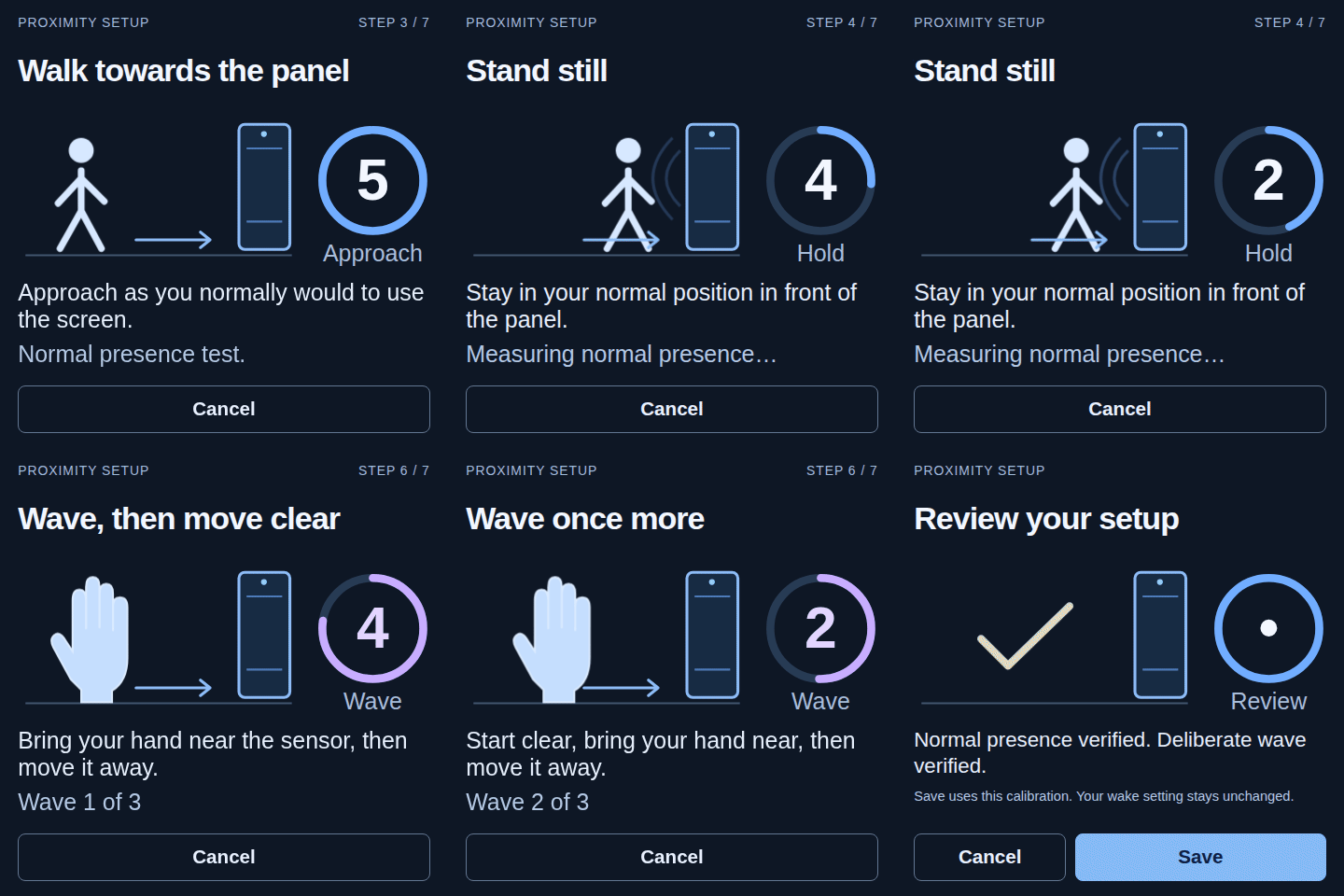
Guided setup
Section titled “Guided setup”Open Configure, then Presence & wake, to see whether the active sensor profile has a usable model. Where setup is offered, start the guided proximity setup there and follow the instructions on the panel’s own screen. It measures the clear signal and deliberate hand movements; review the result and save it on the panel.
Restore profile defaults replaces your saved calibration with the sensor profile’s defaults, where available. A sensor without a usable model needs guided setup before proximity waking is ready. Touch to wake remains available on panels with a validated touch-wake route.
Home Assistant entities
Section titled “Home Assistant entities”When the learned model is trustworthy and the active hardware profile exposes a usable proximity source, the panel’s device in Home Assistant gets:
binary_sensor.<panel>_proximity, learned near or far occupancy; andsensor.<panel>_proximity_level, a normalised value from 0 (far) to 100 (near) on the same scale for every panel.
Both entities stay unavailable while there is not enough evidence or the sensor is unhealthy. The panel does not report a confident-looking value from a model it does not trust. A sensor that only reports two values can still provide occupancy and wake gestures, and the level is reported only when the signal actually supports one.
Wake on wave
Section titled “Wake on wave”Wake on wave uses the hand approach or wave pattern validated by the sensor profile or guided setup. A single-hand pattern triggers as the hand approaches; a double-wave pattern checks the paired movements before waking. Setup and short idle jitter do not generate wake requests.
It needs a live proximity source and a learned model that is ready. The source can be an ordinary Android sensor or a route chosen by the hardware profile. The panel’s web interface and diagnostics show the route actually in use and whether it is ready; a profile declaring a sensor does not by itself make one available.
评论
评论保存在此页面对应的 GitHub 讨论中,因此加载评论会让你的浏览器连接到 GitHub。此浏览器会记住这一选择,并在你滚动到其他页面的评论区时加载评论。
无需 GitHub 账号即可评论