
Adaptive proximity and wake on wave
Dieser Inhalt ist noch nicht in deiner Sprache verfügbar.
Proximity sensors on Android wall panels do not share one useful scale. Some report a distance, some report only two values, the polarity can be reversed, and idle readings can drift between units and firmware versions. The panel app uses the active sensor profile’s calibrated model, or a model you save through guided setup, to interpret its baseline, near reference and polarity.
Guided setup
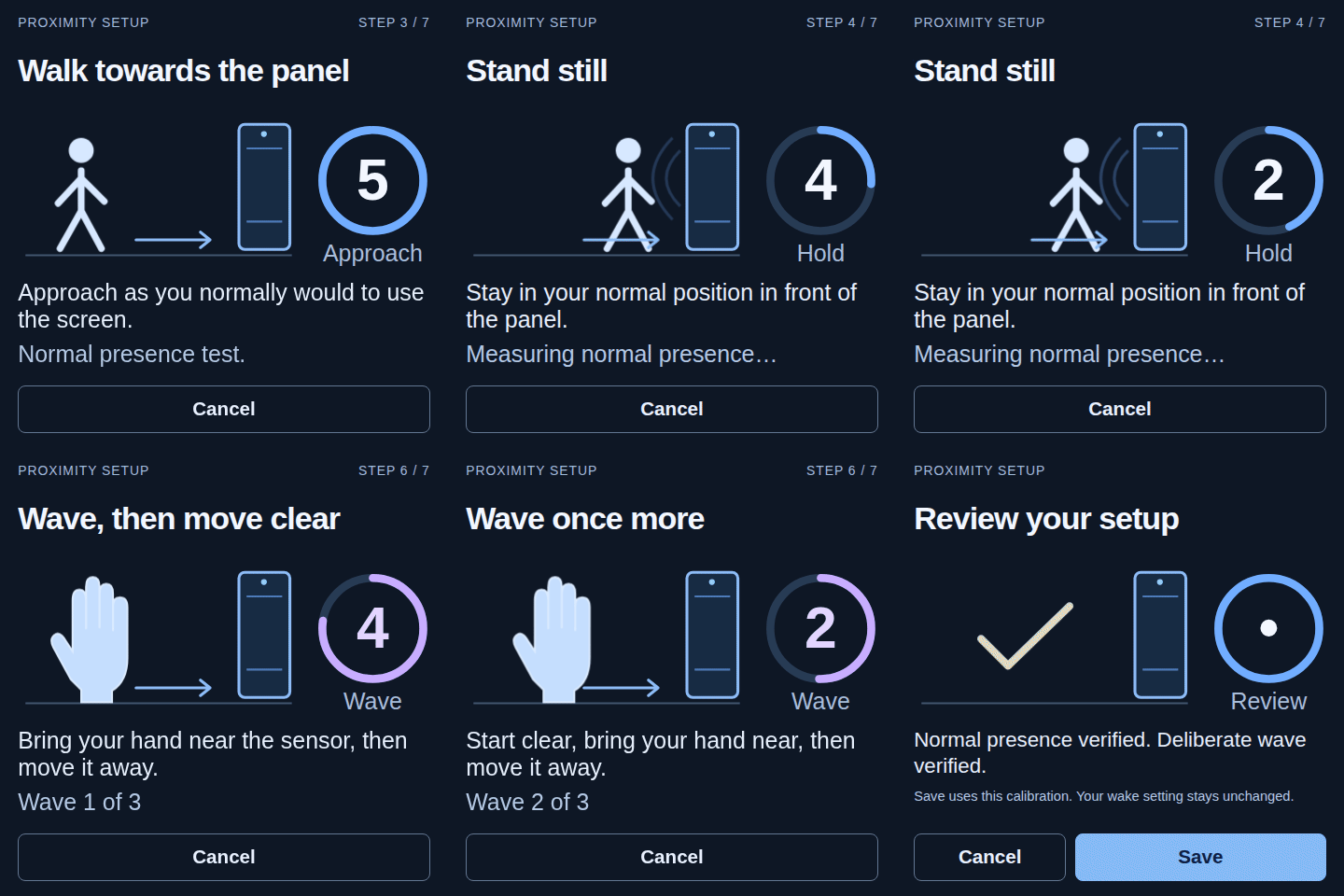
Section titled “Guided setup”Open Configure, then Presence & wake, to see whether the active sensor profile has a usable model. Where setup is offered, start the guided proximity setup there and follow the instructions on the panel’s own screen. It measures the clear signal and deliberate hand movements; review the result and save it on the panel.
Restore profile defaults replaces your saved calibration with the sensor profile’s defaults, where available. A sensor without a usable model needs guided setup before proximity waking is ready. Touch to wake remains available on panels with a validated touch-wake route.
Home Assistant entities
Section titled “Home Assistant entities”When the learned model is trustworthy and the active hardware profile exposes a usable proximity source, the panel’s device in Home Assistant gets:
binary_sensor.<panel>_proximity, learned near or far occupancy; andsensor.<panel>_proximity_level, a normalised value from 0 (far) to 100 (near) on the same scale for every panel.
Both entities stay unavailable while there is not enough evidence or the sensor is unhealthy. The panel does not report a confident-looking value from a model it does not trust. A sensor that only reports two values can still provide occupancy and wake gestures, and the level is reported only when the signal actually supports one.
Wake on wave
Section titled “Wake on wave”Wake on wave uses the hand approach or wave pattern validated by the sensor profile or guided setup. A single-hand pattern triggers as the hand approaches; a double-wave pattern checks the paired movements before waking. Setup and short idle jitter do not generate wake requests.
It needs a live proximity source and a learned model that is ready. The source can be an ordinary Android sensor or a route chosen by the hardware profile. The panel’s web interface and diagnostics show the route actually in use and whether it is ready; a profile declaring a sensor does not by itself make one available.
Wir Home Assistant und alles, was die Open Home Foundation tut.
Zuletzt aktualisiert:
Kommentare
Die Kommentare werden in der Diskussion zu dieser Seite auf GitHub gespeichert. Wenn du sie lädst, verbindet sich dein Browser mit GitHub. Dieser Browser merkt sich deine Wahl und lädt Kommentare auf anderen Seiten, sobald du zu ihnen scrollst.
Ohne GitHub-Konto kommentieren