
Adaptive proximity and wake on wave
Proximity sensors on Android wall panels do not share one useful scale. Some report a distance, some report only two values, the polarity can be reversed, and idle readings can drift between units and firmware versions. The panel app learns the connected sensor’s clear baseline, its near reference, its polarity and how it reports, instead of relying on thresholds set per model.
Learning and teaching
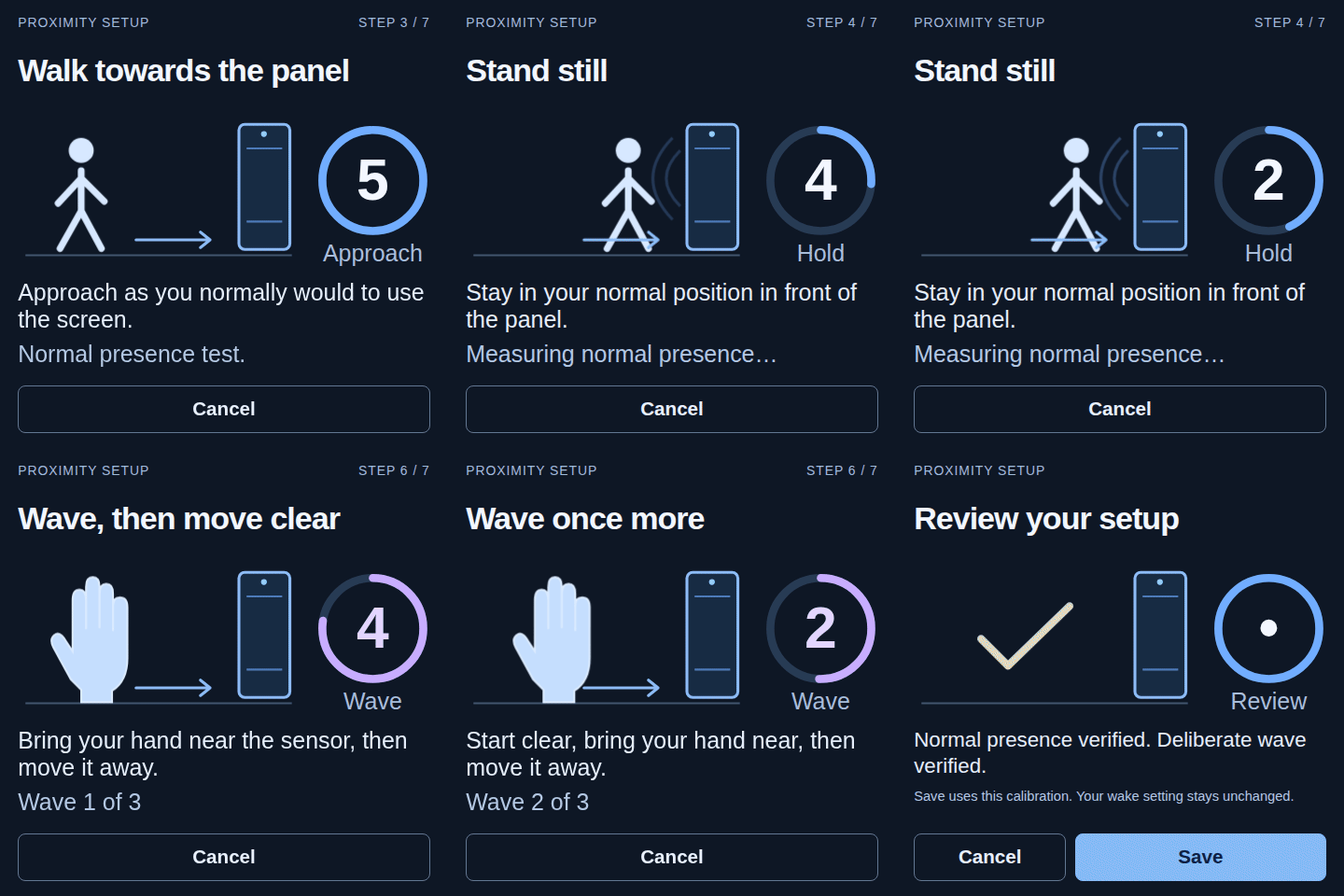
Section titled “Learning and teaching”Open Configure, then Presence & wake, to see the current phase. Learning runs on the panel and normally needs no setup:
- Keep clear of the panel while it identifies the idle signal and the room’s baseline.
- Use the panel normally, so deliberate approaches and retreats can be told apart from idle jitter.
- For a faster start, select Teach a wave and make three deliberate waves when prompted.
- Once it is ready, Test a wave checks one gesture without waking the display.
Touch to wake works throughout learning. Forget learned proximity deletes what was learned for that sensor and starts learning again; use it after moving the panel, changing its firmware or changing how the sensor is reached.
Home Assistant entities
Section titled “Home Assistant entities”When the learned model is trustworthy and the active hardware profile exposes a usable proximity source, the panel’s device in Home Assistant gets:
binary_sensor.<panel>_proximity, learned near or far occupancy; andsensor.<panel>_proximity_level, a normalised value from 0 (far) to 100 (near) on the same scale for every panel.
Both entities stay unavailable while there is not enough evidence or the sensor is unhealthy. The panel does not report a confident-looking value from a model it does not trust. A sensor that only reports two values can still provide occupancy and wake gestures, and the level is reported only when the signal actually supports one.
Wake on wave
Section titled “Wake on wave”Wake on wave recognises one bounded movement: far, then near, then far again. Someone standing near the panel, teaching, testing and short idle jitter do not wake the display, so a person lingering nearby or a noisy sensor does not turn into a stream of wake requests.
It needs a live proximity source and a learned model that is ready. The source can be an ordinary Android sensor or a route chosen by the hardware profile. The panel’s web interface and diagnostics show the route actually in use and whether it is ready; a profile declaring a sensor does not by itself make one available.
Comments
Comments are kept in this page's discussion on GitHub, so loading them connects your browser to GitHub. This browser remembers the choice and loads comments on other pages when you scroll down to them.
Comment without a GitHub account